
Manage Topics
Learn how to use topics to group subscribers and broadcast notifications to thousands of users with a single API call.
Novu provides multiple ways to manage topics, either through the dashboard or the API. Both options give you flexibility depending on whether you prefer a UI-based workflow or direct API integration.
Create a Topic
Creating a topic defines a new group of subscribers that can later be targeted in workflow triggers. You can create a topic either from the Dashboard or using the API:
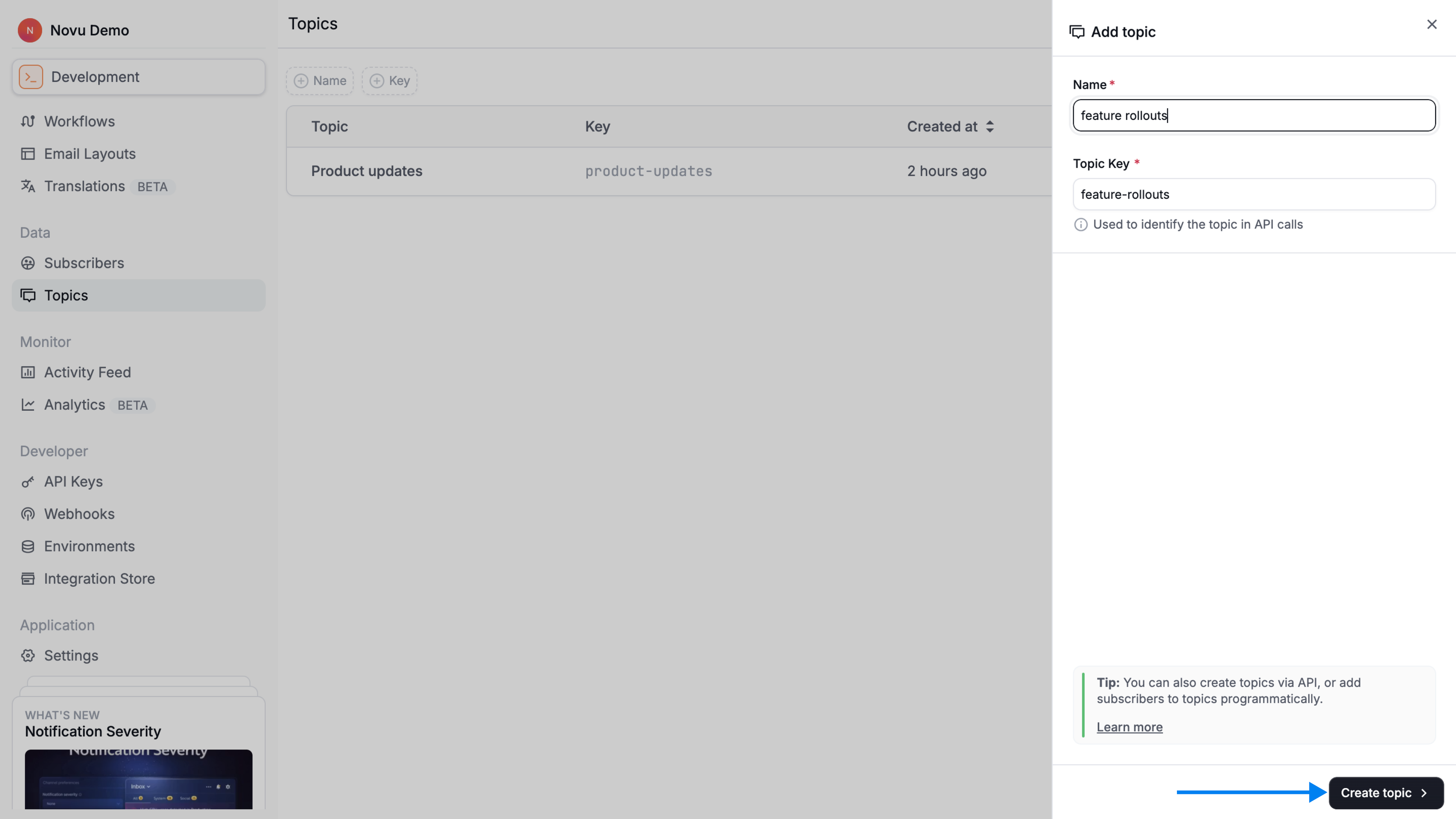
Create a topic via dashboard
- Login to the Novu dashboard
- Go to Topics in the left navigation.
- Click the Create Topic button.
- Provide a unique Name and Topic Key.
- Click on the Create topic button.
Create a topic via API
You can create a new topic using the topics.create method.
Novu also supports on-the-fly topic creation. If you attempt to add subscribers to a topic key that doesn't exist for the selected environment and organization, Novu will automatically create a new topic named Autogenerated-<TOPIC_KEY> and assign the subscribers to it.
This auto-generated topic can then be renamed and managed just like any other topic created manually.
Retrieve a topic
Retrieving a topic allows you to confirm that it exists and view its details, including the name and key.
Update a topic name
You can update the display name of a topic to better reflect its purpose. The topicKey itself is permanent and cannot be modified after the topic is created.
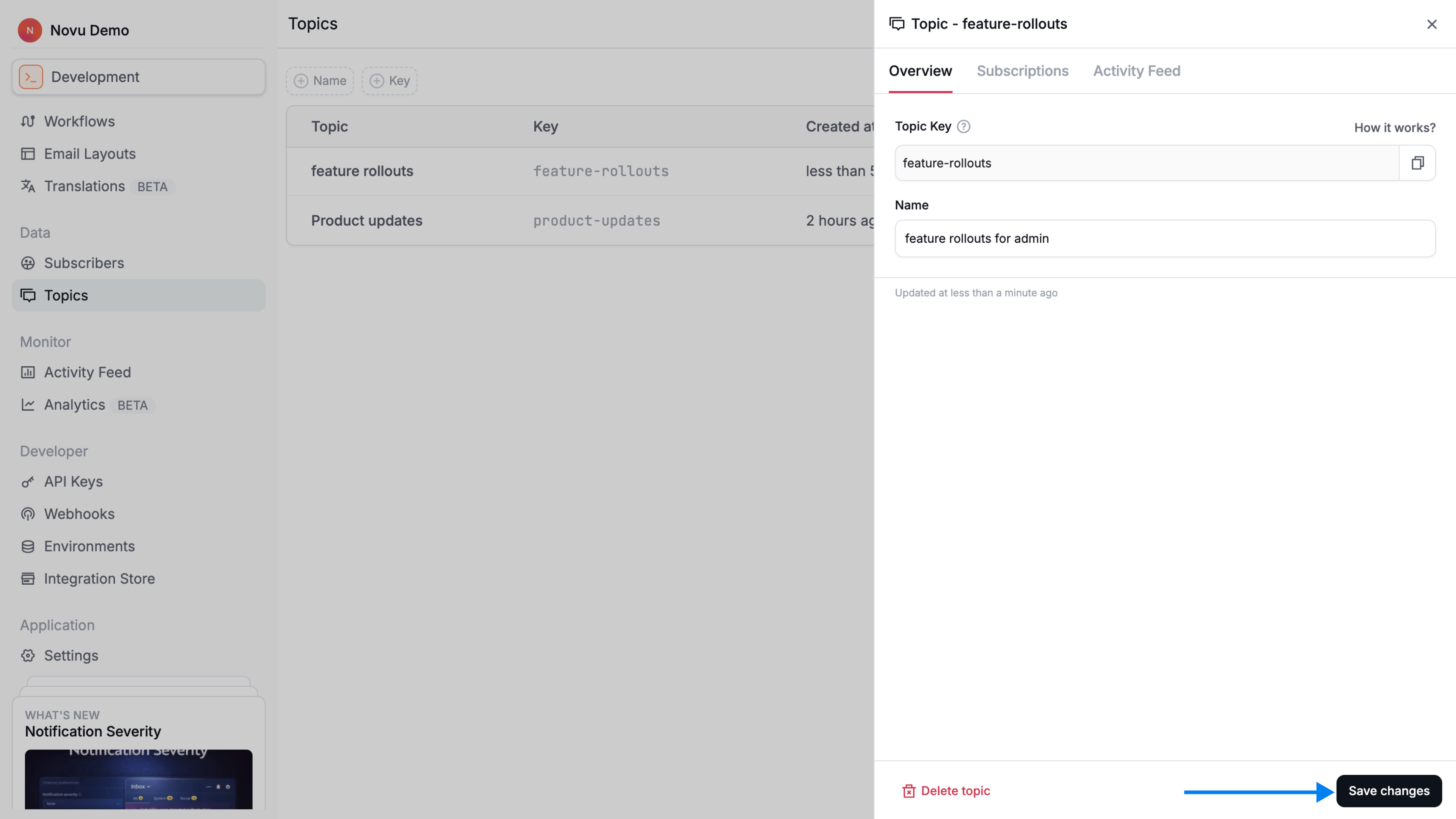
Update a topic name via dashboard
- Log in to the Novu dashboard
- From the Topics page, click on the topic you want to update
- From the Overview tab, update the name of the topic
- Click Save changes to save.
Update a topic name via API
Use the topics.update method with the topic's key to update the name of a topic
List all topics
Listing topics lets you see all groups that have been created in the current environment. This is useful for confirming available topic keys and checking which topics exist before triggering workflows.
Get list of topics via dashboard
- Log in to the Novu dashboard
- From the Topics page, you will see the list of all topics that have bee created either from the dashboard or using the API.
List all topics via API
Use the topics.list method.
Delete a topic
Deleting a topic permanently removes the grouping, but it does not affect the subscribers themselves. This action is irreversible, so be sure you no longer need the topic before deleting it.
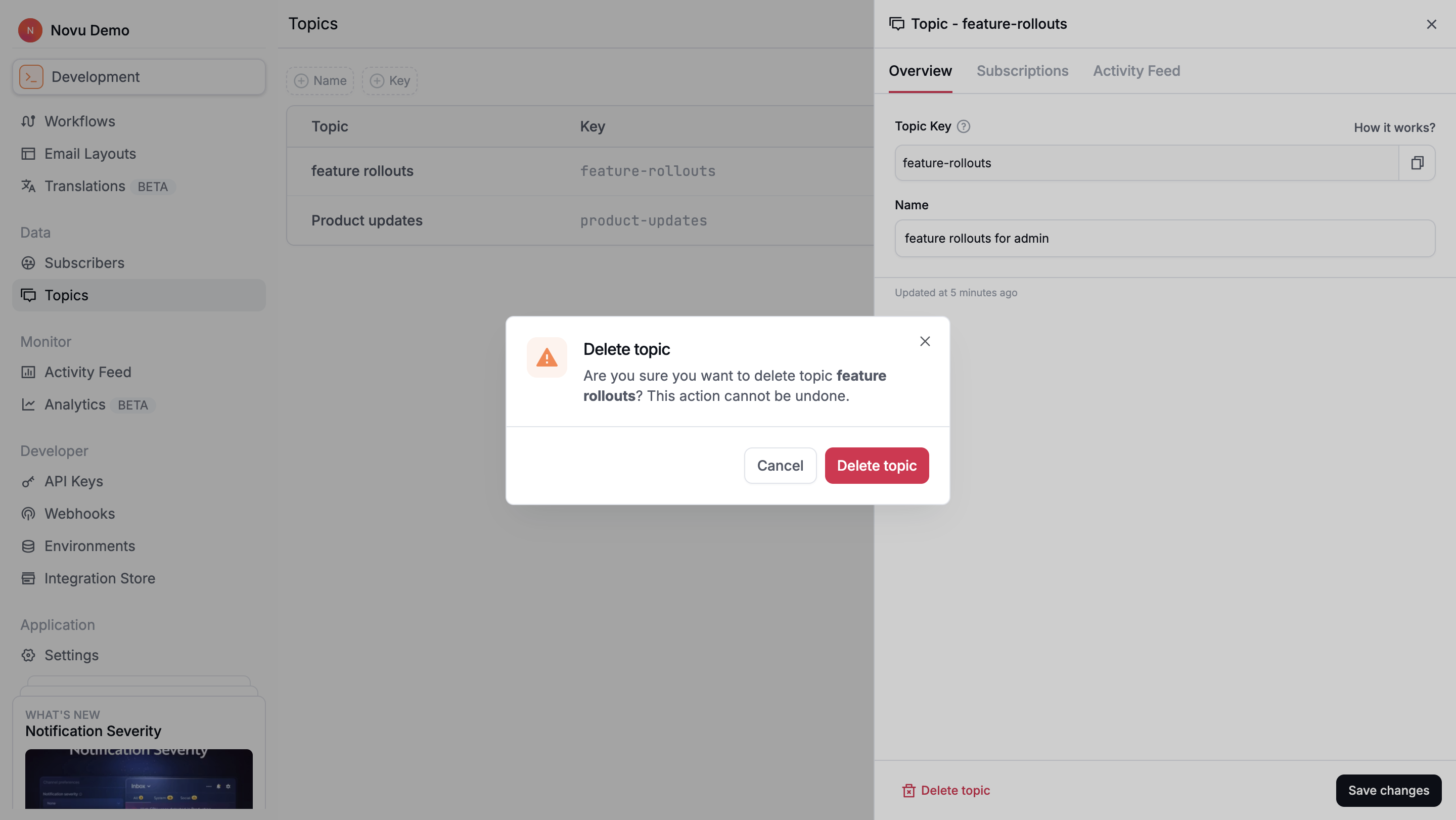
Delete a topic via dashboard
- Log in to the Novu dashboard
- From the Topics page, click on the topic you want to delete.
- Click Delete topic.
- A modal will appear; click Delete topic again to confirm.
Delete a topic via API
Use the topics.delete method with the topic's key.
Manage topic subscriptions
A topic subscription is a relationship between a subscriber and a topic. Subscriptions track which subscribers belong to which topics.
Subscribers can be added to or removed from a topic at any time, either from the Novu dashboard or through the API.
Add subscribers to a topic
Adding subscribers to a topic ensures that they receive all notifications sent to that topic. You can add individual subscribers or multiple subscribers at once, depending on your needs.
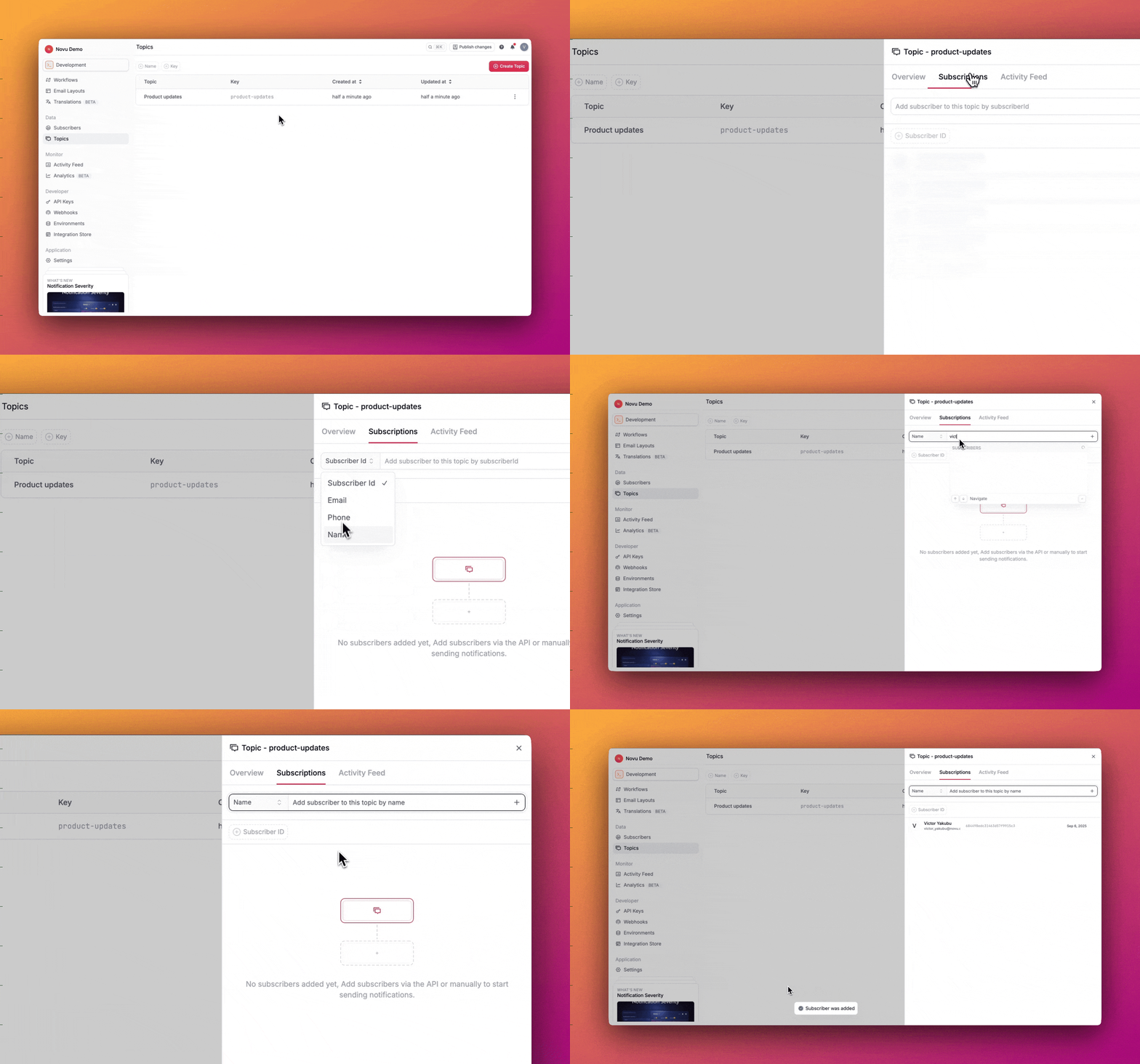
Add subscribers to a topic via dashboard
- Log in to the Novu dashboard.
- From the Topics page, select the topic you want to manage.
- Go to the Subscriptions tab.
- Search for and select the subscribers you want to add either using Email, Name, Phone or
SubscriberId. - Select the subscriber to add them to the topic.
Add subscribers to a topic via API
Use the topics.subscriptions.create() method to add one or more subscribers to a topic, referencing the topic's key and an array of subscriberIds.
Remove subscribers from a topic
Removing subscribers from a topic stops them from receiving notifications sent to that topic. The subscribers remain active in Novu but will no longer be part of that specific group.
Remove subscribers from a topic via dashboard
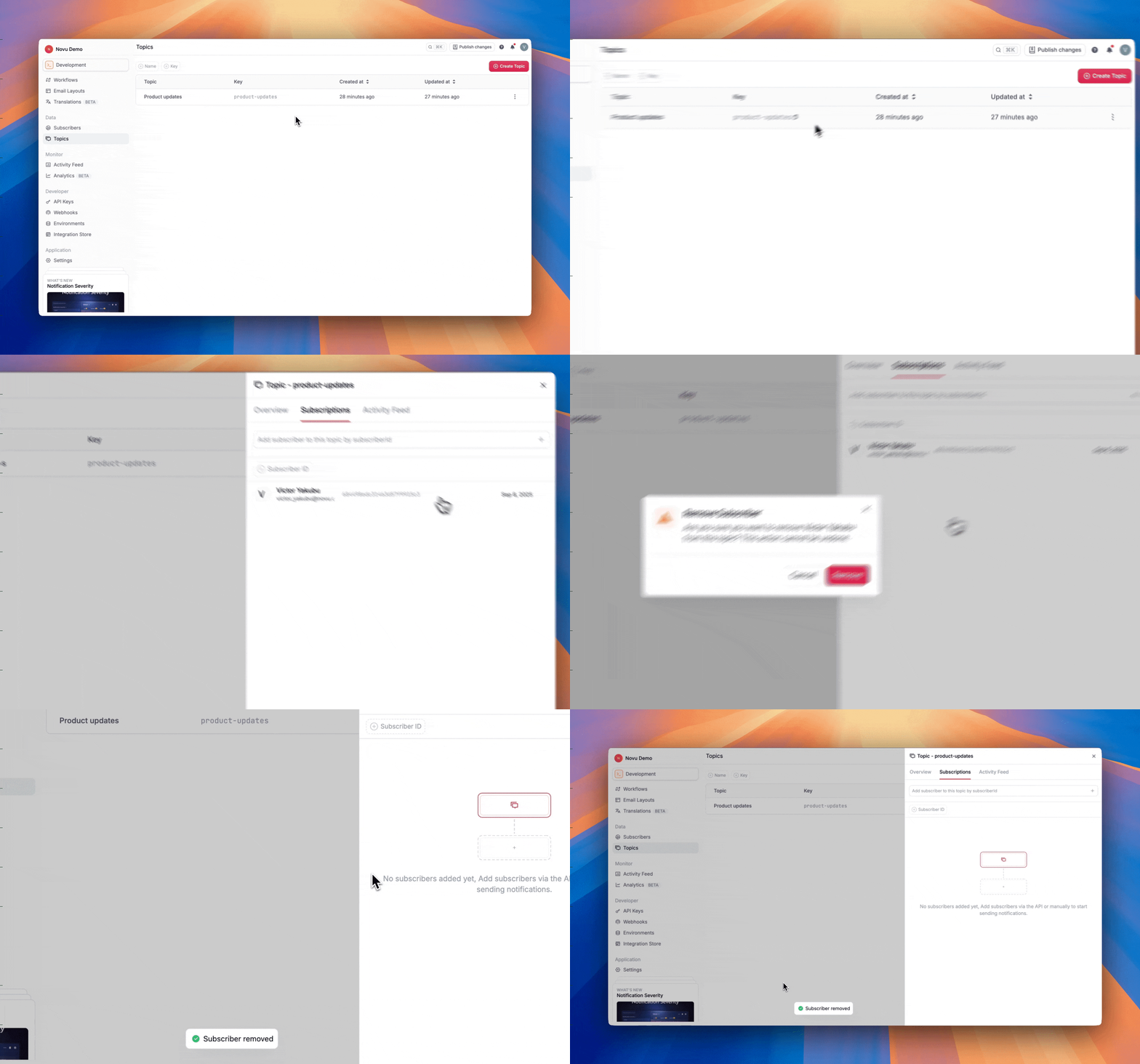
- Log in to the Novu dashboard.
- From the Topics page, select the topic.
- Go to the Subscriptions tab.
- Locate the subscriber(s) you want to remove.
- Click on the delete icon next to the user who you want to remove from the topic.
- In the menu that appears, click Remove.
Remove subscribers from a topic via API
You can use the API to remove one or more subscribers from the topic which a single API call by providing their subscriberIds.
List subscribers in a topic
You can view all subscribers currently assigned to a specific topic.
List subscribers in a topic via dashboard
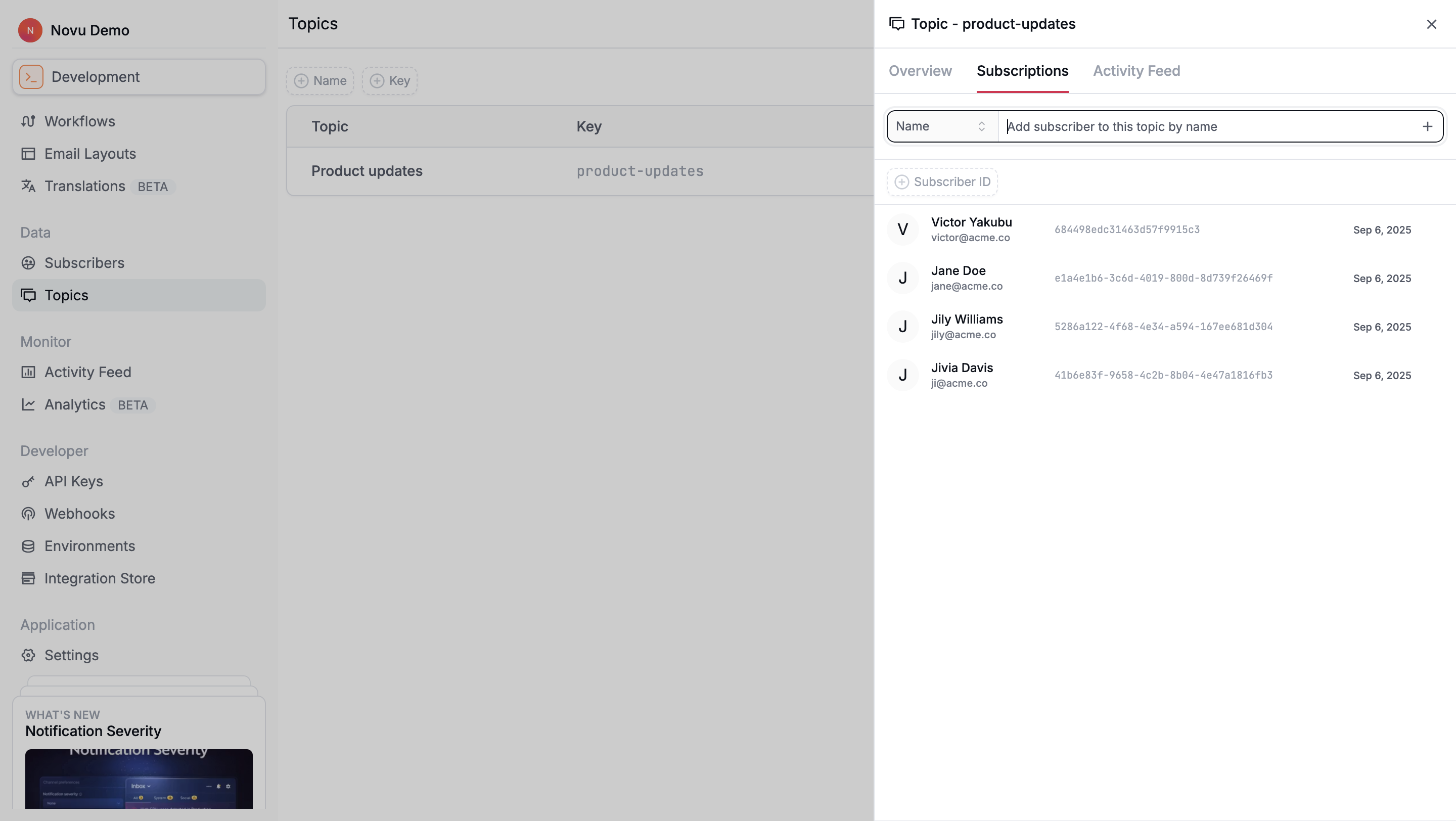
- Log in to the Novu dashboard.
- From the Topics page, select the topic.
- Go to the Subscriptions tab to see the list of subscribers currently assigned.
List subscribers in a topic via API
Check subscriber subscription
You can confirm whether a specific subscriber belongs to a given topic. This is useful when validating membership before triggering workflows or debugging unexpected notification behavior.
Check subscriber subscription via dashboard
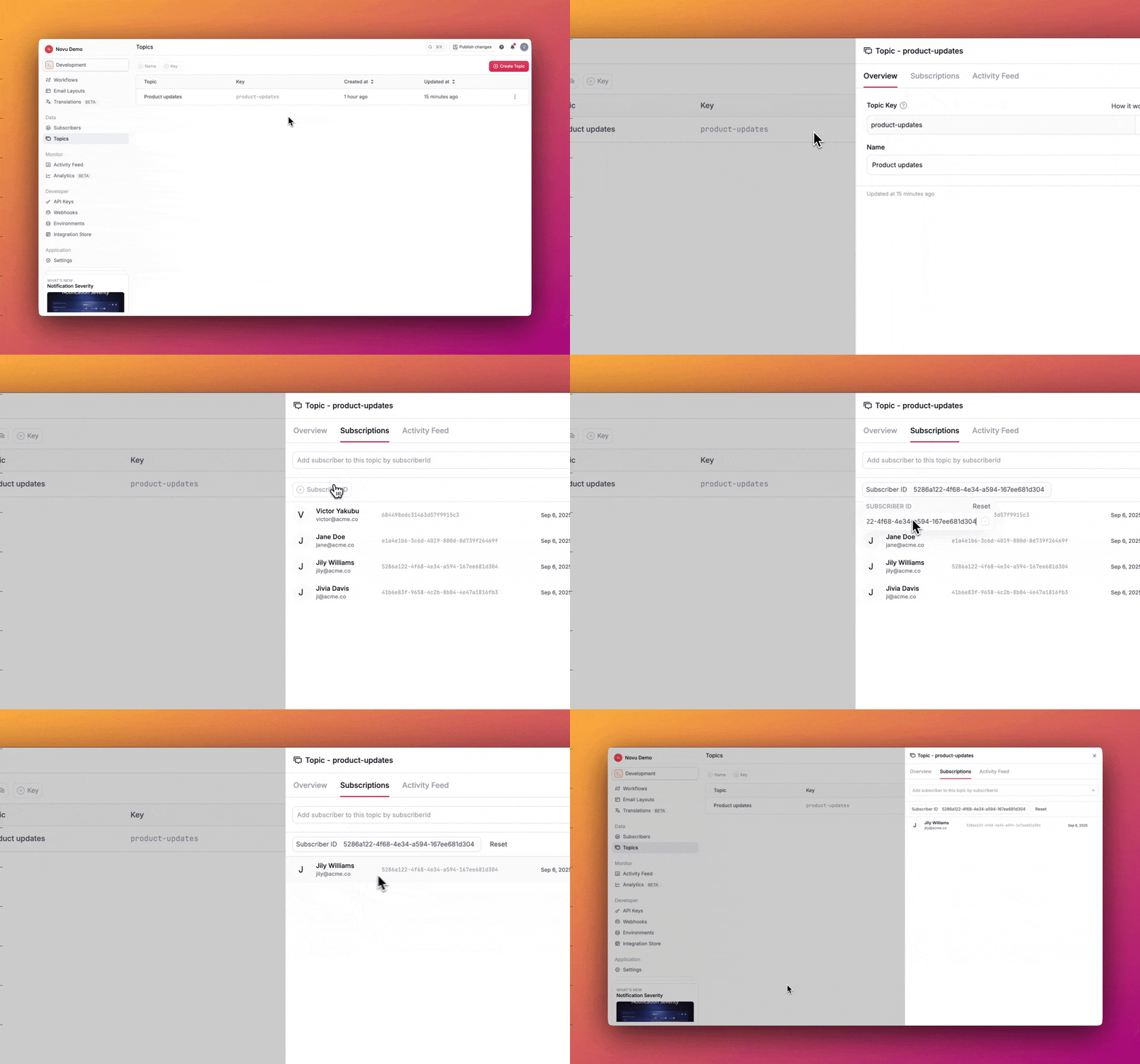
- Log in to the Novu dashboard.
- From the Topics page, select the topic.
- Go to the Subscriptions tab.
- Use the search bar to look up the subscriber. If they are subscribed, they will appear in the list.
Check subscriber subscription via API
Explore the topics APIs
These are commonly used topics APIs. Explore all topics APIs on topics API Reference documentation.
Create a topic API
Create a new topic with name and topicKey
Update a topic API
Update existing topic using topicKey
Create topic subscription API
Add multiple subscribers into a topic
List topic subscriptions API
List all subscribers present in a single topic
List all topics API
List all topics in an environment
Check subscriber subscription API
Check if a subscriber is present in a topic