
Overview
Introduction to Subscribers and Topics in Novu
Subscribers and topics are the foundation of how Novu delivers notifications. While Subscribers represent the individual entities who will receive notifications, topics provide a way to group subscribers under a shared identifier so that you can broadcast messages to many users with a single workflow trigger.
Topics removes the need to target individual subscriber IDs for each notification, making it ideal for scenarios like product announcements, or feature rollouts.
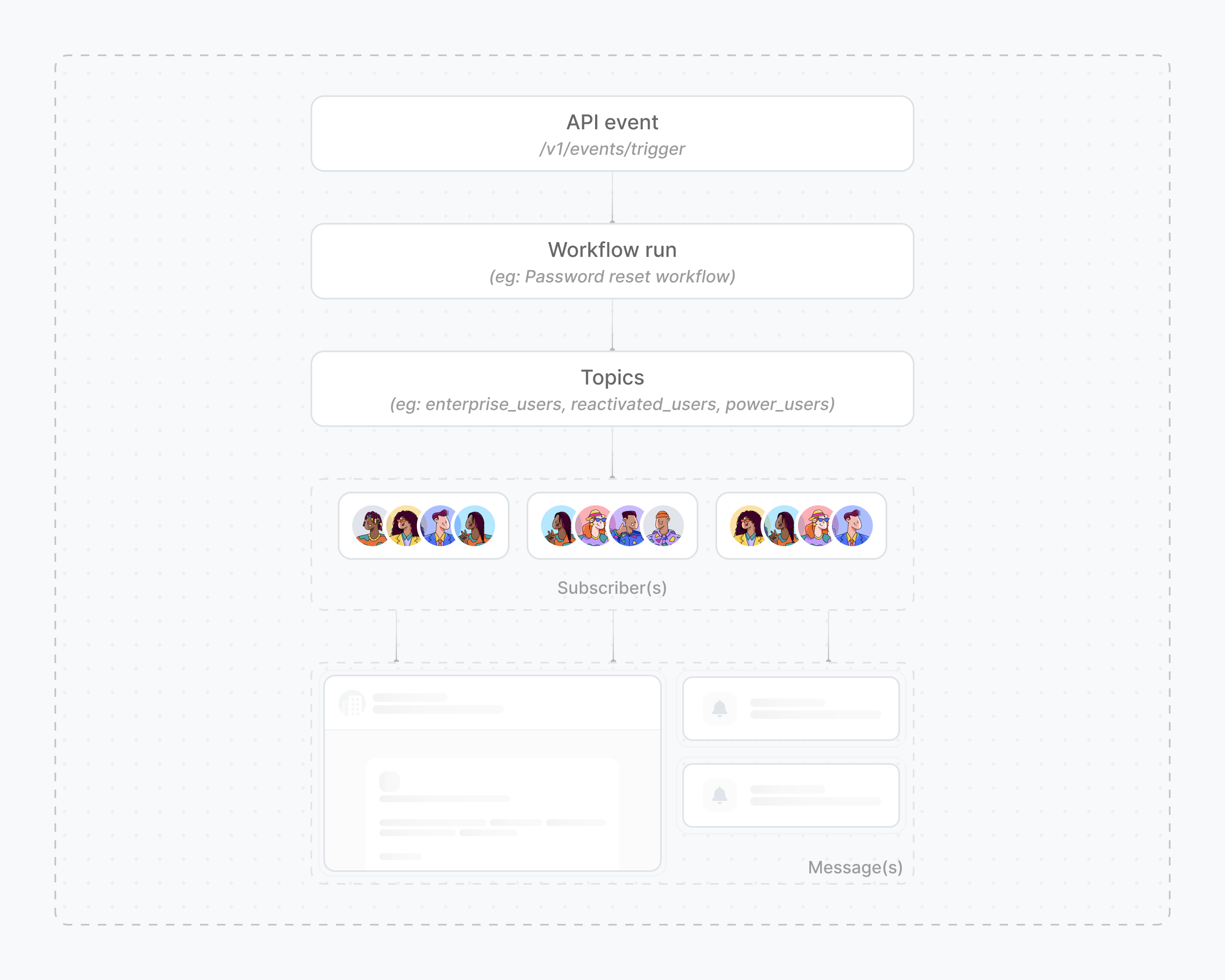
Together, Subscribers and Topics makes it possible to deliver notifications both at the individual level and to dynamic groups, ensuring messages are routed and personalized correctly for every recipient.
Subscriber ID and Topic Key
Each subscriber in Novu is uniquely identified by a subscriberId, which serves as the permanent reference for that subscriber across workflows, preferences, and activity history.
Similarly, each topic is uniquely identified by a topicKey, an internal, permanent identifier. A topic key ensures that groups of subscribers can always be referenced consistently, regardless of how the topic is named or described.
Both subscriberId and topicKey cannot be changed after creation. Subscribers can belong to multiple topics, and topics don’t override subscriber preferences, each subscriber still controls which channels they receive notifications on.
Subscribers, topics and environment
Subscribers and topics are scoped to a specific environment. Novu uses isolated environments, typically Development, Production or Custom environments to separate testing data from live user data.
This means a subscriber created in the Development environment is a completely separate entity from a subscriber with the same subscriberId in the Production environment.
This isolation is crucial for safe testing, as it prevents accidental notifications from being sent to real users from your development or staging setups. To target a subscriber in a different environment, they must be created within that environment.
Next steps
Subscriber Attributes
Explore the complete subscriber data schema, including default fields and custom data.
Managing Subscribers
Learn how to create, update, and delete subscribers using the dashboard and API.
Subscriber Preferences
Understand how subscribers can manage their notification and channel preferences.
Subscriber Activity Feed
View a complete, real-time log of all notifications and activities for a specific subscriber.
Topics
Learn how to group subscribers into topics for bulk notifications.