
Subscribers Preferences
Learn how to manage subscribers preferences from the Novu dashboard and using the Novu API
Novu provides a flexible system with multiple levels of preferences that dictate how and where a subscriber receives messages. These settings influence both the delivery channels and the types of notifications a subscriber will receive.
Subscribers can define how they want to receive notifications. These preferences influence both the delivery channels and the types of notifications a subscriber will receive.
Preferences can be managed in three ways:
- By the subscriber, using the Inbox UI.
- By the organization owner, using the dashboard.
- By developers, programmatically through the API.
Novu supports both global preferences and workflow-specific preferences for each subscriber. However, you can a subscriber preferences from the Novu dashboard.
Global preferences
Global preferences act as a default "on/off" switch for a specific channel across all workflows. A subscriber can use this setting vai the Inbox component to unsubscribe from a channel like SMS or email entirely.
For example, if a subscriber disables a channel globally, that channel will also be disabled for all workflows that use that channel, and vice versa, unless they override it on the workflow level.
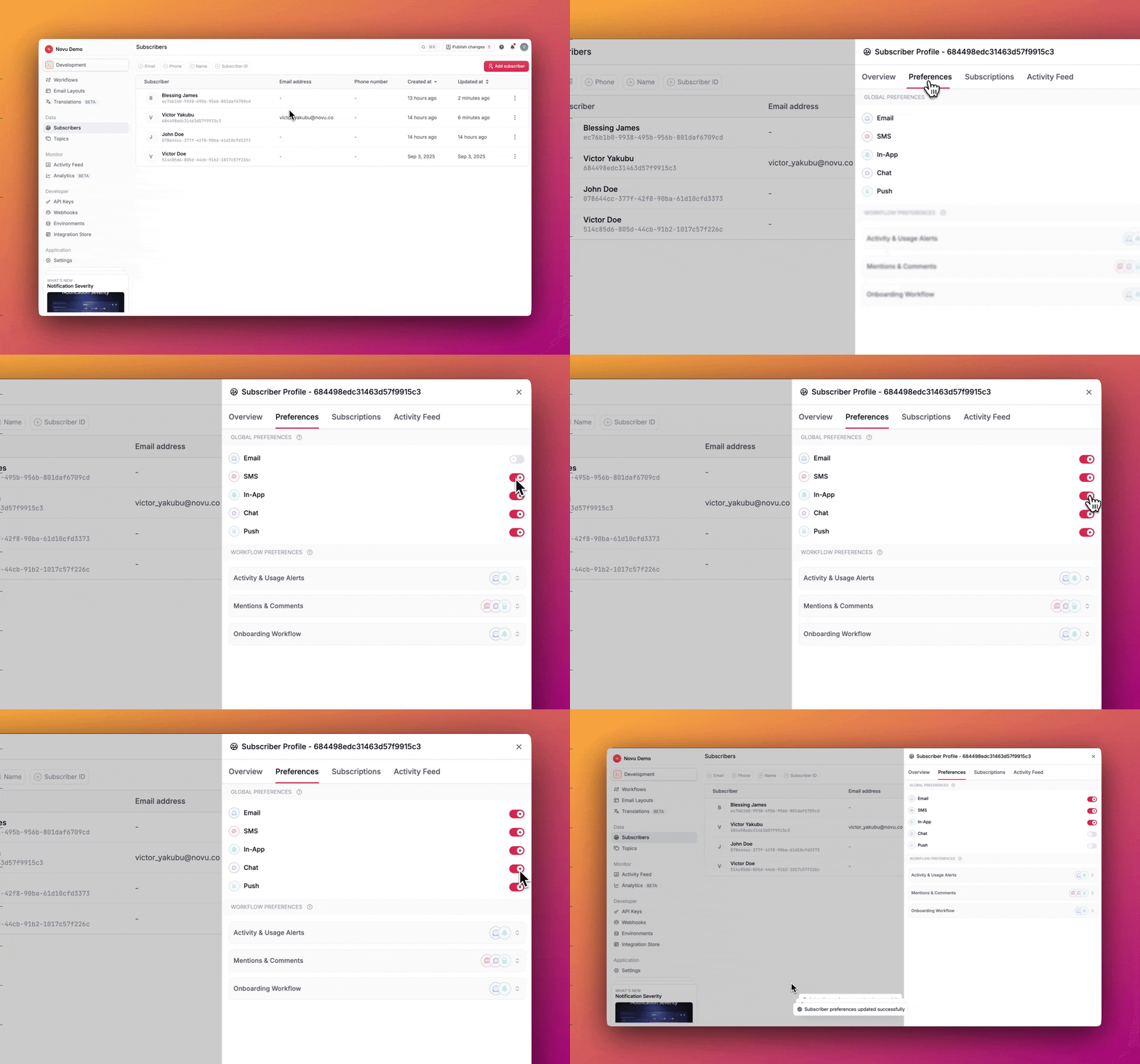
Manage global preferences via dashboard
- Log into the Novu dashboard.
- From the Subscribers page, click on a subscriber's profile.
- Navigate to the Preferences tab.
- Under the Global Preferences section, you can enable or disable channels.
Workflow preferences
Workflow preferences provide a more precise control, letting subscribers customize their channel choices for specific workflows.
For example, a subscriber can choose to only enable in-app notifications for a particular workflow. This preference will be honored while their global settings remain intact.
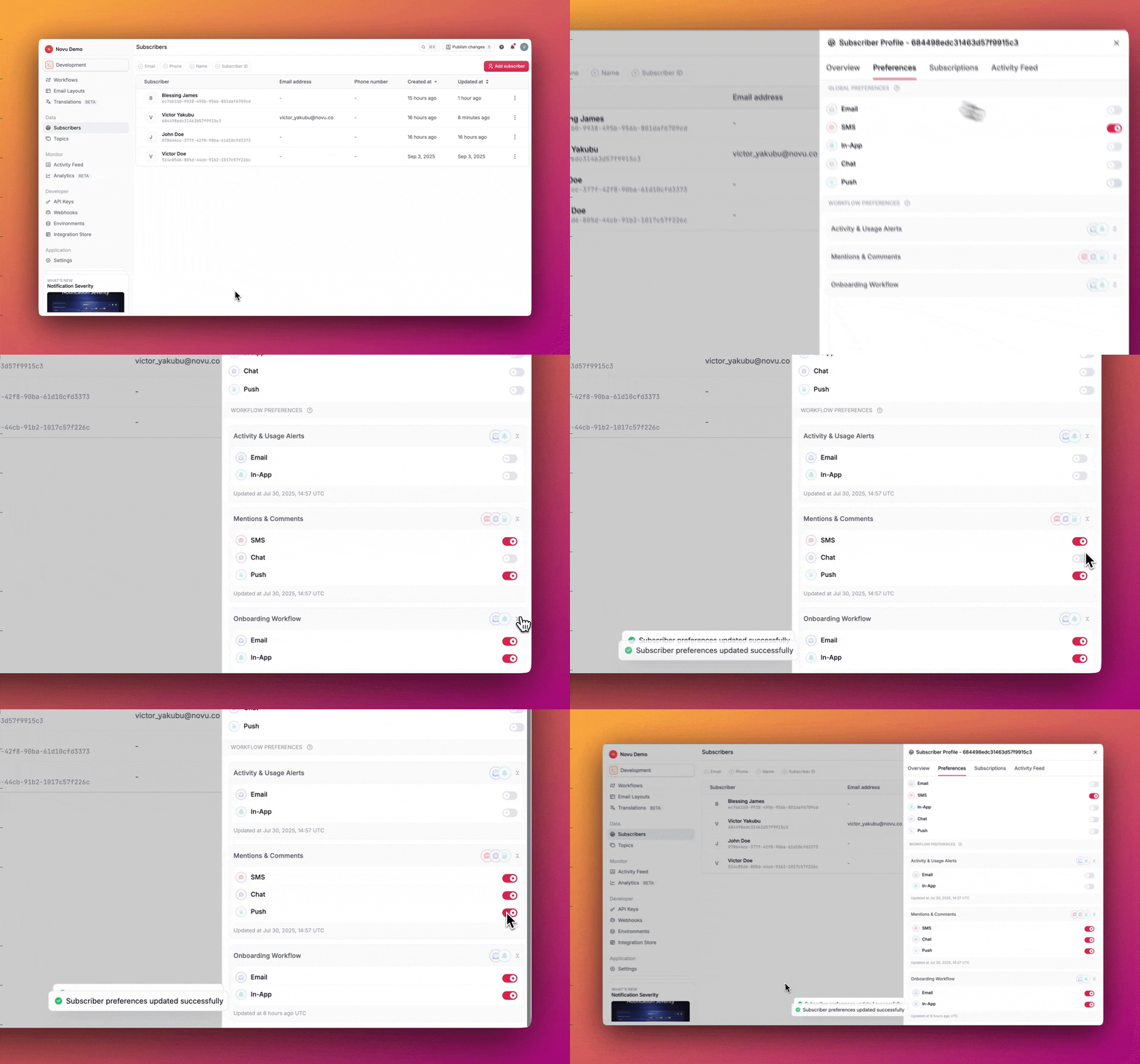
Managing preferences in the dashboard
- Log into the Novu dashboard.
- From the Subscribers page, click on a subscriber's profile and go to their Preferences tab.
- In the Workflow Preferences section, you will see a list of all workflows the subscriber is associated with.
- For each workflow, you can toggle individual channel preferences on or off.
Managing preferences via API
Developers can use the Novu API to manage a subscriber's preferences. This is useful for building custom preference centers within your application or for automated management based on user behavior.
Retrieve subscriber preferences
To inspect a subscriber's current preferences, including their global settings and all workflow-specific overrides, you can retrieve their preferences via the API using the list method.
For full request and response schemas, see the Retrieve Subscriber Preferences endpoint.
Update subscriber preferences
You can use the API to update a subscriber's preferences. You can update global channel preferences or specific workflow preferences using the same endpoint.
For full request and response schemas, see the Update Subscriber Preferences endpoint.